



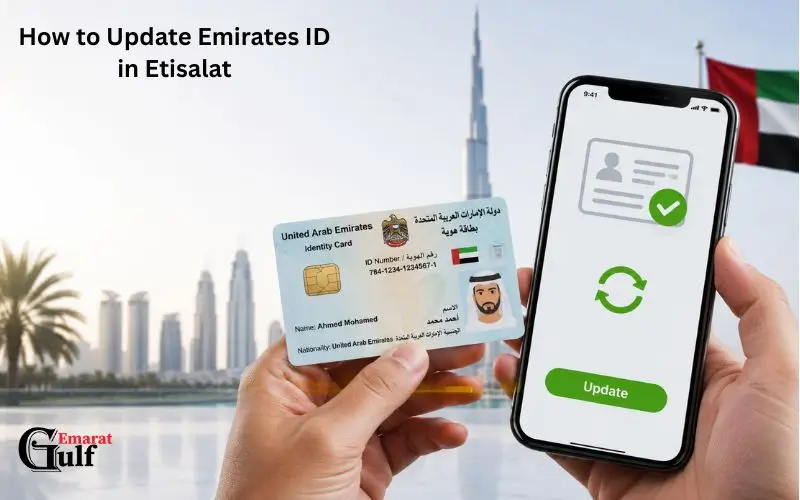
Linking your Emirates ID with your e& (formerly Etisalat) mobile phone number is compulsory in the UAE. How to Update Emirates ID in Etisalat will need to be updated with your telecom provider when it is renewed to ensure your mobile services will continue to operate. Customers can do so online in a few minutes via UAE Pass, Facial Recognition, or through an e& store, e& said. Inactivity with a mobile registration can lead to suspension or disconnection of associated mobile numbers.
Why You Need to Update Your Emirates ID in Etisalat
The update of Emirates ID is not recommended, but rather required by regulation.
The UAE mandates that telecom service providers keep up with the correct identity of customers. When the Emirates ID expires and is not updated with e&, then the mobile registration will expire, and this may impact your mobile services.
You keep your data up-to-date:
- Continued mobile service
- Adherence to the telecom rules of the UAE.
- Accurate customer verification
- Secure account ownership
- No interruptions in calls, SMS or mobile data.
The official recommendation from e& is for the customer to complete the Emirates ID renewal process as soon as they are issued their new Emirates ID.
Before You Start
Prepare the following before beginning the process.
| Requirement | Needed? |
| Valid renewed Emirates ID | Yes |
| Registered e& mobile number | Yes |
| UAE Pass account (recommended) | Yes |
| Internet connection | Yes |
| e& UAE App or website | Yes |
If you don’t have a verified UAE Pass account, you can still complete the process using Facial Recognition, provided you have a valid Emirates ID.
How to Update Emirates ID in Etisalat Using the e& UAE App
This is the quickest and simplest way.
Open the e& UAE App
Please download or open the official e& UAE App.
Sign in using:
- UAE Pass (recommended)
- Your registered e& account will be used for this.
Go to Mobile Registration Renewal
After signing in:
- Open My Account
- Select Quick Access
- Tap the Mobile Registration Renewal button
This section lists all mobile numbers that are associated with your account.
Choose the Mobile Number

Click the mobile number you want to change.
If multiple numbers are entered under your Party ID, select each number that you want to renew.
Verify Your Identity
There are two official choices:
Option 1 — UAE Pass
If you already have your Emirates ID in your UAE Pass account:
- Continue with UAE Pass
- Sanction the authentication request
- Enable safe sharing of documents.
- Return to the e& app.
Emirates ID information is automatically retrieved.
Read Also: Salik Balance Check and Recharge
Option 2 — Facial Recognition
Alternatively, if you don’t wish to use UAE Pass:
- Verify using OTP
- Please upload/ scan both sides of your Emirates ID.
- Allow camera access
- Fill out the face scan
The app verifies you before submitting.
Review Your Details
Ensure that all information is accurate and that the following is correct:
- Name
- Emirates ID number
- Mobile number
- Contact email
Check and agree to the Terms and Conditions.
Submit the Request

Tap Submit.
Your renewal request is submitted as soon as you request it.
- You’ll receive:
- Confirmation message
- Request ID
- The SMS updates will be sent during processing.
Requests made using UAE Pass are typically approved within 2-3 hours, but may take longer depending on the request.
What Happens After Submission?
After successful submission:
- Your request is placed in verification.
- e& verifies your Emirates ID.
- Your mobile registration is updated when it is approved.
- A confirmation sms is sent.
When an Emirates ID is renewed, repeating the process is not necessary.
Why UAE Pass Is the Fastest Method
There are several benefits to using UAE Pass:
- A manual document upload was not found.
- Automatic Emirates ID retrieval
- Faster verification
- Obtain government-issued ID verification
- Minimal paperwork
This approach is often more streamlined, as the data is directly from your verified UAE Pass account.
Update Your Emirates ID Through the e& Website.
Alternatively, those who prefer to renew their mobile registration on a computer can do so via the mobile registration’s official website, e&! The online process is nearly identical to the mobile app and offers UAE Pass and Facial Recognition verification.
Visit the Official e& Website.
Visit the e& official website’s Mobile Registration Renewal page.
Sign in using:
- Your e& account
- UAE Pass (recommended)
Click on Quick Access under My Account to access Mobile Registration Renewal if already logged in.
Select the Mobile Number
Once you log on, you will be able to view all valid mobile numbers available that are registered to your account.
Select the number(s) for which Emirates ID registration has to be renewed.
You may renew multiple family or business numbers from one account, if the numbers are owned by the same Party ID.
Verify Your Identity
e& offers two secure methods of verification that are secure:
Method 1: UAE Pass
This is the fastest way.
- To continue, click on UAE Pass.
- Confirm the authentication in the UAE Pass app.
- Allow document sharing.
- Go back to the e& website.
The Emirates ID information will be transferred automatically.
Method 2: Facial Recognition
If you don’t have UAE Pass:
- Check your number with an OTP.
- Upload Emirates ID (Front and Back).
- Fill out the face scan live.
- Please wait as the system checks your identity.
Review and Submit
Before submitting, verify:
- Full name
- Emirates ID number
- Registered mobile number
- Email address
Read and accept the terms and conditions and click on Submit.
Upon receipt of your application, a confirmation SMS and request ID will be sent.
How to Update Your Emirates ID at an & Store
If you’re unable to complete the process online, visit any e& customer service outlet.
Bring:
- Original renewed Emirates ID
- Registered mobile number
- Passport (upon request for verification)
An e& representative will also register and verify your mobile phone. This is also advised for some government accounts, business accounts, and people of determination.
Read Also: EVG Fine Check
Can You Update Multiple Numbers at Once?
If you have multiple mobile numbers on the same party ID, you can renew all the numbers at once in the same session without having to log in once for each mobile number.
This can be particularly beneficial when you have several lines within a family or business.
How Long Does the Update Take?
It takes just a couple of minutes to actually submit it.
In general, the digital renewal with UAE Pass takes around two hours and can take longer if the system verifies the request, e& said.
| Method | Typical Processing |
| UAE Pass | Usually within 2 hours |
| Facial Recognition | May take longer depending on verification |
| e& Store | Depends on document verification |
What Happens If You Don’t Update Your Emirates ID?
You are required to update mobile registration.
When you do not follow the renewal reminders
- Once your Emirates ID has expired:
- A reminder SMS will be sent to you.
- Once the grace period has ended, you may have services limited.
e& recommends renewing your Emirates ID immediately upon receipt, in accordance with the regulatory requirements, to avoid your linked mobile numbers being suspended and/or disconnected.
Common Problems and Their Solutions
UAE Pass Doesn’t Show Your New Emirates ID
This is typically because your Emirates ID has not been synced with your UAE Pass account.
Solution:
- Renew UAE Pass documents.
- The new Emirates ID will reappear; wait for it.
- Repeat the renewal process if necessary.
Facial Recognition Fails
Possible reasons include:
- Poor lighting
- Blurry camera
- Face partially covered
- Emirates ID scan is of poor quality.
Solution:
- Work in a well-lit room.
- Take hats, sun hats, or masks off.
- Wipe off the camera lens.
- Repeat scanning of the Emirates ID.
OTP Is Not Received

If you don’t receive the verification code:
- Check your network signal.
- Wait a few minutes.
- Request another OTP.
- Ensure you’re using the registered mobile number.
If the problem still occurs, conta contact customer support or visit the nearest outlet.
Request Remains Pending
Sometimes, it may take longer to verify as a result of:
- System maintenance
- Identity verification checks
- Document review
If you contact e& support, use your request ID to check the status of your application.
Expert Tips for a Faster Approval
The following best practices can help to prevent delays:
- Update Emirates ID immediately after issuing.
- Ensure a UAE Pass account is kept up to date.
- Please use the latest version of the e& UAE App.
- Make sure your phone number is in service before you make a start.
- Please carefully review contact information before submission.
- Do the process while connected to a stable Internet connection.
These easy steps minimize the likelihood of a verification error and allow for a quicker approval process.
How Long Does It Take to Update Your Emirates ID?
The renewal method determines the processing time.
The renewal process with UAE Pass takes only a few minutes, and it is typically approved within two hours, e& says. For requests made with face recognition and/or manual document verification, a longer time may be needed if further checks are necessary.
| Renewal Method | Estimated Time | Best For |
| UAE Pass | Usually approved within 2 hours | Fastest option |
| Facial Recognition | Varies depending on verification | Users without UAE Pass |
| e& Store | Depends on queue and document verification | Customers needing assistance |
Documents Required
The documents required depend on your customer type.
| Customer Type | Required Documents |
| UAE Residents | Original valid Emirates ID |
| UAE Nationals | Original Emirates ID |
| GCC Nationals | Emirates ID or GCC ID/Passport |
| Business Customers | Trade License, Emirates ID, Passport of the authorized person |
| Government Entities | Establishment Card and authorized representative documents |
Business and government customers may have additional verification requirements through the Business Online Portal.
Is There Any Fee for Updating Your Emirates ID?
e& does not impose any renewal cost for customers when renewing their mobile registration following Emirates ID renewal. The process is in alignment with the UAE regulatory requirements as part of the account’s maintenance.
Tips to Avoid Delays
To have your request approved faster, there are a few simple tips:
- Update your mobile registration as soon as you get your new Emirates ID.
- If possible, use a verified UAE Pass account.
- Make sure that your Emirates ID is synced up with UAE Pass.
- If employing facial recognition, upload clear and high-quality photos.
- Make sure that your registered mobile number is working to receive OTP and status updates.
- Use the most up-to-date version of the e& UAE app.
- Please do not make several requests for the same number.
These practices help to minimize verification problems and make the renewal process smoother.
Read Also: Salary Check UAE Balance Enquiry
Final Thoughts
It’s simple and crucial to update your Emirates ID with e& to ensure mobile services remain active and in line with UAE regulations. It can be done through the e& UAE app, the official website, and the e& stores, and it is as simple and secure as possible. The UAE Pass is the fastest option for most users, as most requests to renew it are processed within two hours. It is best to make the update as soon as you receive the Emirates ID so as to reduce unnecessary service interruptions and ensure your information is up-to-date.
Frequently Asked Questions
Can I update my Emirates ID before it expires?
Yes. Emirates ID renewal before expiration is possible under certain conditions through ICP, and e& recommends updating your mobile registration as soon as you receive the renewed Emirates ID before the services are interrupted.
Can I update multiple mobile numbers together?
Yes. If multiple numbers are registered with your Party ID, you can choose and renew all numbers that are eligible in one session using the e& app or website.
What happens if I don’t renew my mobile registration?
In accordance with the regulations, in the event of non-renewal of the mobile registration, the registration will be suspended, and the connected mobile number will be disconnected after the period of grace as specified in the regulations.
Do I need UAE Pass?
As UAE Pass is the quickest and easiest way to travel, e& also provides identity verification through Facial Recognition or attending an e& outlet.
Can tourists update an Emirates ID?
Emirates ID renewal is for UAE residents and eligible customer categories who have a valid Emirates ID. For visitors who do not have an Emirates ID, they are required to abide by the identification requirements applicable to their service.
Can I update my Emirates ID for both prepaid and postpaid e& connections?
Yes. Users can update their Emirates ID for prepaid and postpaid e& mobile numbers via the e& app, website or e& store.
What documents are required to update my Emirates ID in Etisalat?
It is also important to have your valid, renewed Emirates ID. In case of UAE Pass, the information will be automatically retrieved during verification.