





A gaming computer should provide more than high frame rates. For people who spend several hours gaming, studying, streaming, or working at the same desk, performance and comfort need to be considered together.
When shopping for a Gaming PC UAE, buyers often spend most of their time comparing processors and graphics cards. Those components are important, but choosing the correct system also means thinking about screen resolution, cooling, upgradeability, and the physical setup surrounding the PC.
A powerful computer can improve the gaming experience, but it cannot compensate for a poorly arranged workspace.
Start With What You Need the PC to Do
Before comparing specifications, consider the type of games and applications you expect to use.
Competitive games usually prioritise frame rate. Players using high-refresh-rate monitors may benefit from a strong processor and a graphics card capable of maintaining consistent performance.
Single-player games often place more emphasis on graphics quality. Gamers who enjoy visually demanding titles may therefore prefer to invest more of their budget in the GPU.
The same computer may also be used for streaming, video editing, schoolwork or professional applications. If that is the case, additional memory, CPU performance and storage may become more important.
Defining these requirements first prevents the buying process from becoming a competition between specification numbers.
Match the PC to Your Monitor
Your monitor determines how much of the computer’s performance you can actually see.
For 1080p gaming, a good entry-level or mid-range system can provide strong performance. Moving to 1440p increases GPU requirements, while 4K gaming demands considerably more graphics power.
Refresh rate matters as well.
A gamer using a 144 Hz or higher display may prioritise high and stable frame rates. Someone using a 60 Hz monitor may have little reason to spend heavily on hardware capable of producing several hundred frames per second in every game.
Choosing the PC and monitor together makes it easier to create a balanced setup.
Avoid Buying Components in Isolation
A common mistake is choosing a gaming PC purely because it includes a particular graphics card.
The GPU is important, but the rest of the system still matters.
The processor must be capable enough to support the GPU. The system needs adequate memory, sufficient storage, and cooling that can handle the components during extended gaming sessions.
The power supply is also worth checking. A reliable PSU with suitable capacity supports the current hardware and may provide additional flexibility for future upgrades.
A balanced computer generally provides better value than one that contains a single premium component surrounded by budget parts.
16GB or 32GB RAM?
For many gamers, 16GB remains usable and is still found in a large number of gaming systems.
However, 32GB provides additional flexibility. Modern games can run alongside browsers, communication software, launchers, and recording applications, all of which consume memory.
Users who stream, create content, or regularly multitask may find 32GB more comfortable over the long term.
More memory does not automatically create higher frame rates in every game, so there is little reason to buy excessive RAM at the expense of a better graphics card or processor.
Choose Enough SSD Storage
Storage needs have grown significantly for gamers.
Some very recent games may take more than 100GB of space for each game, so a small SSD can fill up very fast after you install a few games.
1TB seems to be a good compromise for many new systems that won’t be used up all the way. Players who have a huge library or video files should opt for 2TB.
Later expansion of storage is easy, particularly if there are extra M.2 slots on the motherboard. This is a place where customers can begin to make sensible purchases and make their way up if they need to.
Keep Temperatures Under Control
Cooling impacts performance, noise, and component lifespan.
Sometimes a simple case that provides plenty of ventilation may be more valuable than a fancy case with poor air circulation. The fans should provide the necessary airflow and should not be installed just because they look good.
The CPU cooler must also fit the processor that it’s intended to cool.
You don’t have to use liquid cooling on your gaming machine. There is a good air cooler available for many processors that will work very well. Depending on the case and load, higher-performing processors might warrant a bigger cooling package.
Why Ergonomics Matter for Gamers
Playing is only beneficial if the gaming setup will not be uncomfortable to use.
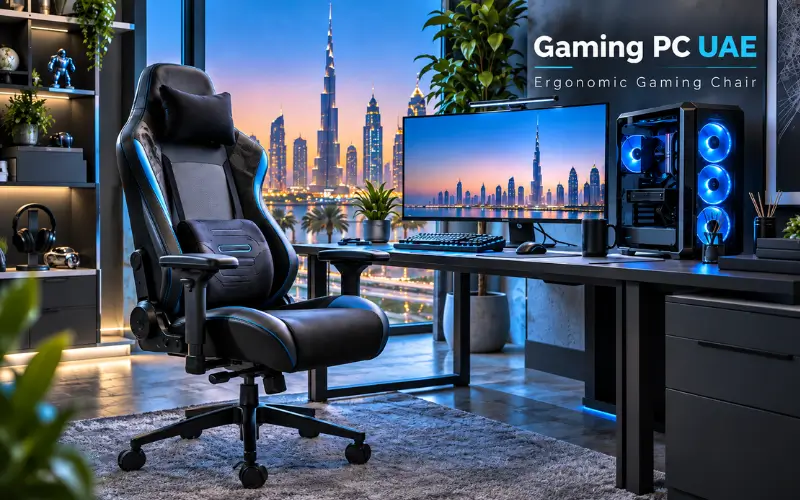
This is because the chair and desk setup are important, as players can sit in front of the same screen for hours. An ergonomic gaming chair should allow the body to be in a natural position rather than a single position.
Adjustable seat height, armrests positioned in line with the desk, proper lumbar support, and a backrest that offers the option to change positions are all useful features.
Also, the monitor should be at a comfortable height and distance. The shoulders and wrists should be relaxed when using the keyboard and mouse.
This info might not sound like a lot to do with the performance of the computer, but it certainly makes a huge difference in the overall enjoyment for several hours after installing the system.
Leave Room for Future Changes
The PC requirements are continually evolving.
New games get more and more demanding, storage gets full, and users may seek to upgrade to higher resolution monitors.
A system that can be upgraded reasonably in a way that will give greater value in the long run can, therefore, be considered as more valuable.
Before you buy, make sure the case will support larger graphics cards, that the motherboard offers extra storage and/or memory capabilities, and that the power supply can be expanded to accommodate a future graphics card upgrade.
Don’t have to forecast all future upgrades. The only purpose of this is to prevent unneeded restrictions.
Custom Build or Prebuilt?
A custom gaming computer gives control over individual parts.
They are ideal for those who are sure about where they wish to invest their money. A gamer might invest more in the graphics card and have a more basic case. A content creator might focus on CPU speed, memory, and storage.
The convenience of prebuilt computers.
Much of the compatibility research has already been done, and components have been selected and assembled ahead of time, taking much of the guesswork out of the buying process.
There isn’t a right or wrong answer; it’s a matter of individual taste.
Build the Setup Around the User
Any good gaming system should be fitting for the individual who will be playing with it.
The fastest computer on paper is not always the best computer in the end if the computer is more powerful than the monitor and/or games being used. Likewise, having a high-priced computer to play a game on is not going to make up for a bad chair or desk.
Consider the setup as one complete system.
The PC provides performance. That’s the performance the monitor will show. The chair supports the individual operating the equipment, and the desk positions the equipment.
These elements are selected together, and the outcome is typically far superior to if they were selected on an individual basis.
Final Thoughts
When buying a gaming PC in the UAE, the focus should be on understanding your specific needs, not on the latest and greatest specs.
Consider your games, resolution, monitor refresh rate, and other activities you wish to perform on the computer. Create a system that meets those requirements but provides adequate memory, storage, cooling, and upgradability.
While not neglecting comfort, keep it in mind at the same time. Long sessions can be much more comfortable if the monitor is positioned correctly, the desk is positioned correctly, and the ergonomic gaming chair is used.
The fastest GPU is not necessarily the best gaming setup.
It is the one that is balanced for performance, usability, and comfort in a manner appropriate to the individual operating it.
Read Also: Marketing Agency Dubai Lilac | SEO, PPC & Digital Growth Experts