


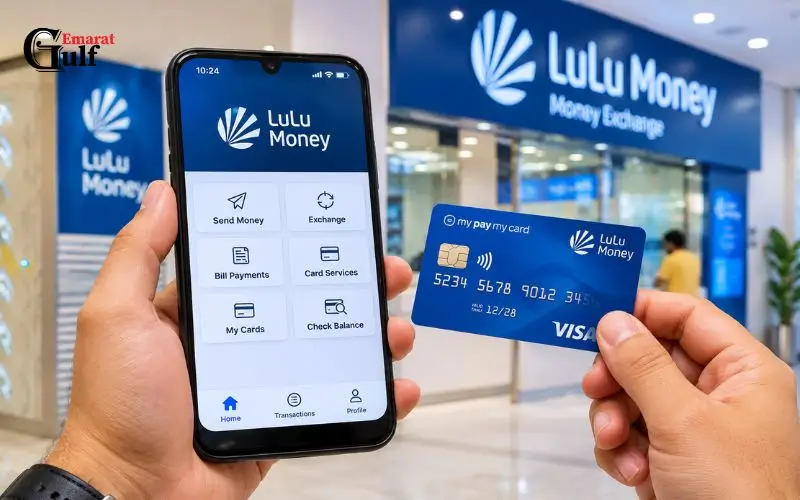
My Pay My Card is a prepaid salary card that is available in the UAE via LuLu Exchange and is designed for employees who qualify to receive their salary via the Wage Protection System (WPS). It gives you the ability to access salary payments without having a personal bank account. Cardholders can view the balance, withdraw cash, make purchases and avail themselves of eligible money transfer services. The card also provides a convenient means of managing monthly wages through supported digital and ATM services. It is good to know the features, costs, and ways of making enquiries about the balance to make the most of salary funds. This article deals with all the facts and information that UAE-based employees should know about the card.
What Is My Pay My Card in the UAE?
My Pay My Card is a prepaid payroll card and is provided by LuLu Exchange in collaboration with First Abu Dhabi Bank (FAB). It is for employees who work for employers who use LuLu Exchange to send wages via the Wage Protection System.
This payroll card is not linked to a personal current account as it is with a regular debit card, but allows employees to access wages that are paid via their employer’s payroll process.
The card is especially helpful to employees who:
- Do not have a personal UAE bank account.
- Are paid via the company’s payroll system.
- Need to access their salary for daily expenses.
- Desire to withdraw cash or transfer money to their own country.
- Avoid carrying cash; use a payment card.
LuLu Exchange is used by over 30,000 corporate clients and 400,000 employees, according to the company. Also, the company offers access to international transactions with its supported payment network.
Is It a Debit Card or a Credit Card?
It is a prepaid salary debit card, NOT a regular credit card.
The difference is that you can use the money that is already approved on your card, but you don’t have a borrowing limit from the bank.
| Feature | Salary card | Credit card |
| Main purpose | Receive wages | Borrow money for purchases |
| Funding | Employer salary | Approved credit limit |
| Bank account | Not necessarily required | Depends on issuer |
| Interest | No borrowing interest | Interest may apply |
| Repayment | No monthly loan repayment | Monthly repayment required |
Staff should be aware that this available balance will vary based on the money that has been deposited into the employee’s payroll account.
How Does the UAE Wage Protection System Work?
In 2009, the Central Bank of the UAE introduced the Wage Protection System (WPS) as an electronic means of paying salaries to assist the Ministry of Human Resources and Emiratisation (MOHRE).
It is designed to increase clarity and understanding around salaries for those who need to pay salaries and for authorities to monitor that the employer is paying the correct salary and on time.
In this arrangement, employers pass on the salary details and salary amounts to the authorized financial institutions and exchange houses. The institutions then pass on wages to the workers under their registered payment plan.
The Central Bank of the Philippines’ WPS monitors the movement of funds of employers and the employees’ balances and knows your employee salary disbursement data.
How Salary Payments Reach Employees
The general payroll process comprises several phases:
- The employer is the one who prepares the information regarding salary for the month.
- The company reports its payroll data to the approved payment arrangement.
- The money lender makes the payment of the salary.
- The employee’s wages are deposited into the registered payroll account/card.
- The available money will be accessible to the employee via supported payment services.
This helps to eliminate reliance on cash payroll distribution and provides an electronic log of payroll.
Does Every UAE Employee Qualify?
Not automatically. The average card is given to workers who have a proper payroll plan with LuLu Exchange.
Your employees will not be issued the cards until the business has been registered and the appropriate payroll service has been set up by your employer.
Staff should check with their HR or payroll team to ensure their employer uses this service.
How to Check Your Salary Card Balance
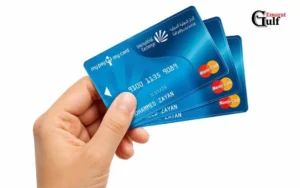
One of the major things that cardholders need to do is to check the available balance. It will aid workers to verify if their monthly income has been received and what amount they’ve got left to spend and take out.
The way you check the balance will vary based on the card product that you are issued.
Read Also: Salary Check UAE Balance Enquiry
1. Check Your Balance Through the LuLu Money App
LuLu Money app offers a digital card management service to eligible salary card customers.
LuLu’s official FAQ provides instructions on how customers can use the virtual card and what they can spend it on.
Follow these steps:
- Check out the official LuLu Money application.
- You can sign up or log in with your registered cell phone number.
- Follow the necessary verification procedure.
- Tap on the LuLu Money Cards option from the home screen.
- If you don’t, click on More and then My Cards.
- Select the salary card you want to link.
- Look at the balance left on the card on the screen.
Other supported services that can be accessed through the application include digital payments, card management and money transfer.
Note: The app’s virtual card and balance will be reflected upon your card registration and product eligibility. If your older FAB-issued card does not show up, don’t assume that your salary hasn’t been deposited. Contact LuLu Exchange instead.
2. Check the Balance Through an ATM
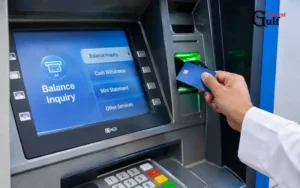
The other way is to utilise a compatible ATM.
To use the balance enquiry service, you will typically have to provide your card and PIN.
It’s simple:
- Go to an acceptable ATM.
- Place your salary card in the slot.
- Choose the language you want to use.
- Please type your card PIN in.
- Select Balance Enquiry.
- Check the amount on the screen.
- If you need a record of your transaction, hold onto your receipt.
According to the FAB official 2026 fee schedule, the fee for ATM balance inquiries is AED 2 for the FAB Mastercard version. You will not have to pay this charge on the first two monthly inquiries at an FAB ATM.
The fees on the card/ATM products may vary, and so may the ATM operators, so be sure to confirm the tariff of the ATM before the transaction is completed.
3. Visit a LuLu Exchange Branch
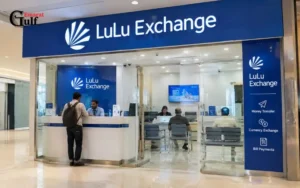
If employees do not have access to the mobile app or ATM, they can go to a nearby branch of LuLu Exchange.
Take your physical card and Emirates ID when visiting the branch. Staff may be able to tell the employee what the payroll product is and what options exist for finding out about the balance of their accounts, and can help them with any problems they might have with their account.
Contact the customer service representative to explain your situation if your card has been lost or stolen before trying to access your funds.
4. Contact Customer Support
If there isn’t a balance shown on the application or if the ATM enquiry fails, then customer support can help investigate the issue.
LuLu Exchange has this customer care number:
600 522 204
One alternative method to getting information about the branches and customer support of the company is by accessing the official website of the company.
Do not give out your PIN, OTP, or entire card details to anyone who says they can help you with your bank balance.
How to Receive Your Monthly Salary
The salary payment process does not begin with an individual cardholder application but with your employer.
Once a company registers its payroll arrangement with LuLu Exchange, all eligible employees become a part of the employer’s salary payment process.
After the card is issued and activated, the employee is able to claim wages via the registered arrangement.
What Happens on Salary Day?
The employer will create the salary file and send the necessary payment instructions.
Once payment is made, they are accessible via the employee’s registered salary facility.
Employees can then make purchases with the credited money, cash out, and transfer funds.
If you are not getting the payday that you expected, you should contact your payroll or HR department. They can verify if the salary file was submitted and if the payment was made.
If your employer has a problem with an ATM, do not assume that they did not pay you wages.
Can You Apply for the Card Yourself?
Generally, no. This is an employer-arranged payroll product.
The employee may not just go to a branch and ask for a card if he doesn’t have an eligible corporate payroll arrangement.
To get one, reach out to your company’s HR department and inquire if the company utilizes WPS services from LuLu Exchange.
How to Activate Your Salary Card
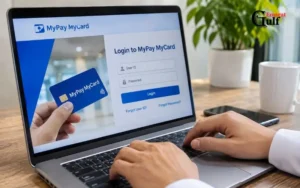
An important security measure is that the card may not be ready for use until it has been activated.
The process of activation varies from card version to card version and from instructions on delivery to instructions.
The old employee’s guidance on Bayzat details that cardholders can go to a FAB ATM, slide their card in and set their PIN.
English+1
If it is a new card, use the instructions given with the card and not just the older modes of activation.
What Should You Do If Activation Fails?
If the ATM rejects your card or you are unable to set up a PIN, try the following:
- Verify if the card has expired past its activation date.
- Ensure the activation is done correctly.
- Ensure that the card is not damaged.
- Call LuLu Exchange for help.
- Check with the employer to see if the card registration is done.
Do not provide your PIN or OTP to anyone during the PIN/OPT activation.
Where Can You Use the Card?
There are several activities that use the card regularly. The services it provides vary based on the card network, product configuration, account status & transaction limits, etc.
Shopping at Retail Stores
The FAB Mastercard version is available at Mastercard-approved merchants.
These are typically places such as supermarkets, restaurants, pharmacies, fuel stations and other retail stores.
For physical payments, slide or tap the card (where supported) and enter the PIN, if asked for, to pay.
Online Shopping
Cardholders with eligibility can make online payments at merchants who accept the card’s payment network.
Before you pay, make sure that:
- E-commerce is supported.
- The purchase is paid for using your available balance.
- You will receive verification messages on the phone number you registered.
- The merchant agrees to process payments with the payment network the card operates on.
There are websites that will not accept prepaid cards or may require extra verification.
Cash Withdrawals
Your salary can be cashed via supported ATMs or LuLu Exchange branches.
Emirates NBD and Emirates Islamic and Mashreq ATMs are also cash access points for Emirates NBD’s official wage administration information for LuLu Exchange’s LuLu Money Salary Card service. There may be a different ATM network available for the older FAB product.
International Money Transfers
Another useful service is money transfers to family outside the country.
LuLu Exchange has partnered with compatible salary cards and released them in the LuLu Money app to enable remittance to foreign countries without going to the exchange branch.
According to the company, customers can choose to pay using their salary debit card, enter the card information, and fill in the mandatory OTP verification.
The final amount received depends on the receiving country’s currency, the amount of transfer and the exchange rate and transfer fees applicable.
My Pay My Card fees in 2026
Learning about transaction fees should prevent staff from having unnecessary deductions from their salary balance.
LuLu Exchange makes available a Wage Protection System Key Facts Statement which sets out charges to be applied to its various wage card products. The key difference between the two is the fee structure that is applied to both the FAB Mastercard and the LuLu Money Card.
The following rates are from the official 2026 fee schedule.
| Service | FAB MyPay:MyCard |
| Card issuance | Maximum AED 10 |
| Card replacement | AED 20 |
| Card renewal after 5 years | AED 3 |
| Domestic ATM withdrawal | AED 2 |
| ATM balance enquiry | AED 2 |
| First two monthly FAB ATM transactions | Free |
| International ATM withdrawal | AED 21 + 1% currency fee |
| Declined transaction | AED 2 |
| Dormant/inactive fee | AED 2 |
| Card statement | AED 25 |
| Withdrawal at LuLu Exchange branches | Free |
Charges may be subject to change; customer arrangements and VAT may apply. Make sure of the existing tariff before the transaction.
Card Issuance Charges
The limit for the issuance charge for the FAB Mastercard product is AED 10 as per the official fee schedule.
The amount may be different if the employer has arranged otherwise and/or if other conditions apply.
ATM Withdrawal Charges
Domestic ATM withdrawals are charged at AED 2 per ATM transaction.
But the first two monthly withdrawals are free of this charge for the FAB Mastercard version at FAB ATMs.
Regular cash withdrawals: employees should be encouraged to take advantage of the free cash withdrawal facility available at the bank.
International Withdrawal Charges
The cost of cash withdrawals is also higher if they are international.
Tariff rates published include an AED 21 fee plus a 1% cross-border currency charge. There may be other exchange rate disparities as well, which can also have an impact on the amount that is received in other currency.
Card Replacement and Renewal
Should you lose or damage your card, replacement fees may be required.
The replacement cost for the FAB Mastercard version is AED 20. After 5 years, there is a renewal cost of AED 3.
Pay attention to the expiration date on the card to prevent any inconveniences in payment.
Are There Monthly Maintenance Charges?
According to the official fee schedule, the dormant or inactive card fee for the FAB Mastercard is AED 2 per month.
Unlike a regular monthly maintenance fee per open account.
If you have not used your card recently, verify some of the terms.
MyPay: MyCard vs LuLu Money Card
Many articles that you will see online do not mention the fact that LuLu Exchange has more than one salary card product.
The company now has three segments in its WPS Key Facts Statement:
- MyPay: MyCard – FAB Mastercard.
- LuLu Money Card – Mercury.
- Huru Card.
The products are linked with salary administration solutions; nonetheless, the features and costs associated with these are not the same.
| Feature | FAB MyPay:MyCard | LuLu Money Card |
| Card provider | FAB | Mercury |
| Payment network | Mastercard | Product-specific |
| Issuance charge | Maximum AED 10 | Maximum AED 10 |
| Replacement | AED 20 | AED 15 |
| Renewal | AED 3 | AED 3 |
| Domestic ATM withdrawal | AED 2 | AED 2 |
| Dormant fee | AED 2 | AED 3 |
| App-based services | Depends on linked setup | LuLu Money app |
The only real difference is the card layout.
The LuLu Money Card is based on the use of the app to manage the account, and the traditional FAB-issued card has its own card terms.
Read the branding on your physical card before following a tutorial online; find out which product your employer has issued.
How to Send Money Using the LuLu Money App
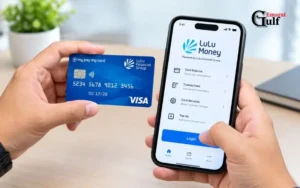
It is especially convenient for employees whose families back them up from time to time from outside the UAE, for the use of international remittance.
LuLu Money offers eligible salary card payments via its mobile app.
Here is the general procedure:
- Start the official LuLu Money app.
- Log in to your registered account.
- Choose the international money transfer.
- Type in the country and necessary information for the recipient.
- Make sure you’re using the salary debit card for the payment.
- Fill in the card details.
- Check the transfer amount and charges.
- Fill in the OTP verification if it is required.
- Verify the payment and save the receipt.
During the application, you might be redirected to a secure payment gateway that will not complete the transaction until you have confirmed the payment.
The same is explained in LuLu’s official FAQ, where they state that a transaction receipt is created once you make a successful payment.
What If Money Is Deducted but the Transfer Fails?
Even if the transaction status is failure, sometimes a payment might be deducted.
LuLu Money tries to re-establish the connection with the payment gateway to check the status of the payment. According to its FAQ, this process takes about 1 hour.
If this does not resolve the problem, please call customer service or visit a branch with your transaction reference.
Don’t make multiple payments until you know if the initial payment went through.
Common Problems and Their Solutions
The ATM, online payment and access to the mobile application might cause issues for cardholders when accessing them to withdraw cash, access salary, or make payments online.
Knowing the cause of the issue can save time and perhaps avoid unnecessary transactions.
Salary Has Not Been Credited
If there is no salary, reach out to your company’s payroll department first.
Check if the salary file is submitted and processed properly. Your employer will be able to access the payment details and investigate any delays via the payroll provider.
You can also contact LuLu Exchange if the employer confirms that the payment has been processed.
ATM Transaction Is Declined
There are a number of reasons why an ATM transaction may be declined.
Your card may be inactive, your PIN may be wrong, you may not have enough money on your account, or your card might not be accepted by the ATM.
Use a different ATM to try and retrieve your balance and see if it works before trying another withdrawal.
Online Payment Is Not Working
Merchants might reject prepaid cards, or extra security verification is necessary, leaving online transactions in jeopardy.
See your online spending options, balance and registered mobile number.
If the issue persists, please reach out to the card provider.
Forgotten PIN
In case you have forgotten your card PIN, do not repeatedly enter random numbers.
Follow the approved PIN reset procedure or contact customer service for help in resetting the PIN. Resets are possible via the method available for the card product.
Lost or Stolen Card
It is important that a missing salary card is reported as soon as possible.
If your card is linked to the LuLu Money app and the appropriate controls are provided, lock or block the card.
Afterwards, report the incident to LuLu Exchange and ask for a replacement.
If the card is lost, don’t wait until next payday to report it, as the other person might try to use it.
Customer Support and Contact Information
If employees need assistance with card activation, salary payments, transaction failures, or in the case of a lost card, they are able to reach LuLu Exchange via the official support channels.
| Contact detail | Information |
| Customer care | 600 522 204 |
| Official website | LuLu Exchange |
| Mobile application | LuLu Money |
| Payroll support email | wpsinfo@luluexchange.com |
| Service provider | LuLu International Exchange |
When seeking assistance, have the following information on hand:
- Your registered cell phone number.
- Your Emirates ID.
- The last 4 digits of your card.
- If there is a transaction reference, include it.
- Short description of the problem.
Never send your PIN, password, or OTP through an unverified email, phone call, or website.
Can You Visit a Branch for Assistance?
Yes. LuLu Exchange branches are able to provide customers with supported payroll services.
Staff can be consulted on problems with cards, cash withdrawal facilities, replacement of cards and other services.
Use the official company website for branch addresses and operating hours instead of using obsolete 3rd-party listings.
Security Tips for Salary Cardholders
It’s crucial to protect your salary card because it contains money for your daily spending and financial obligations. Take these measures to minimise the risk of unauthorized transactions. Don’t disclose your PIN: Do not give out your card PIN to friends, co-workers, or unfamiliar people. Don’t write it on the actual card. Install official apps: Download the LuLu Money app from reputable app stores. Don’t use unofficial sites that provide instant salary balance checks.
Regularly review your transaction history: Keep track of your transactions and cash withdrawals. Report any transaction that is not recognised. Securing OTP messages: If an OTP is used to confirm a transaction or account action, it should be done so. It should not be requested by customer support.
For Lost or Stolen, or Unauthorized Use: Report missing cards immediately: Contact the provider if your card is lost, stolen, or used without your permission. Be careful where you enter the information on your credit card: When you log card information on the Internet, make sure that the merchant and payment site are legitimate. These fundamental tips help preserve your income and lower the danger of monetary loss.
Final Thoughts
When employees are aware of their payroll card, service and transaction fees, salary payments become easier.
My Pay My Card offers a convenient option for workers who are eligible in the UAE to receive their wages without needing a personal bank account. It also has a variety of services that facilitate everyday payments, cash withdrawals and international remittances.
The first step is to determine if you have the FAB Mastercard or the newer LuLu Money Card. They have different digital features and fee structures, so check it out and follow the instructions and charges that apply to your card.
If you have any questions regarding salary credits, card activation, replacement, or transaction issues, contact LuLu Exchange official Customer Support.
Read Also: PPC Card Inquiry: How to Check Your Prepaid Card Balance Online
How to Close a FAB Bank Account: Complete Procedure
Etisalat Data Balance Check via SMS, App, and USSD Codes
Frequently Asked Questions
What is My Pay My Card?
LuLu Exchange is a prepaid salary card for eligible UAE employees that enables them to access their salary via the WPS system.
How can I check my salary card balance online?
To check the balance of your linked card, log in to the LuLu Money app, go to My Cards or LuLu Money Cards and choose your linked card.
Can I withdraw money without a salary card?
Call LuLu Exchange and inquire about other options for getting your money back. Emirates ID and employee information may be required for verification.
Can I use my salary card for international money transfers?
Yes, the cardholders who are eligible can send money internationally through the supported salary card payment services with the help of LuLu Money app.
What is the domestic ATM withdrawal fee?
The FAB Mastercard version has a fee of AED 2 for every domestic ATM withdrawal. The first two monthly withdrawals on FAB ATMs are complimentary.
Is a personal bank account required?
No. Salaries may be paid to the employee via a payroll arrangement agreed upon by the employee and the employer, which is registered with the Tax Office rather than a personal bank account.
Can I use the card for online shopping?
Yes, if you are able to make online payments and the shopping site has the network you pay with.